Image to Poster
Upload a photo and turn it into a poster. Keep your subject, restyle everything around it, and write your headline straight into the design.
Results From Real Uploads
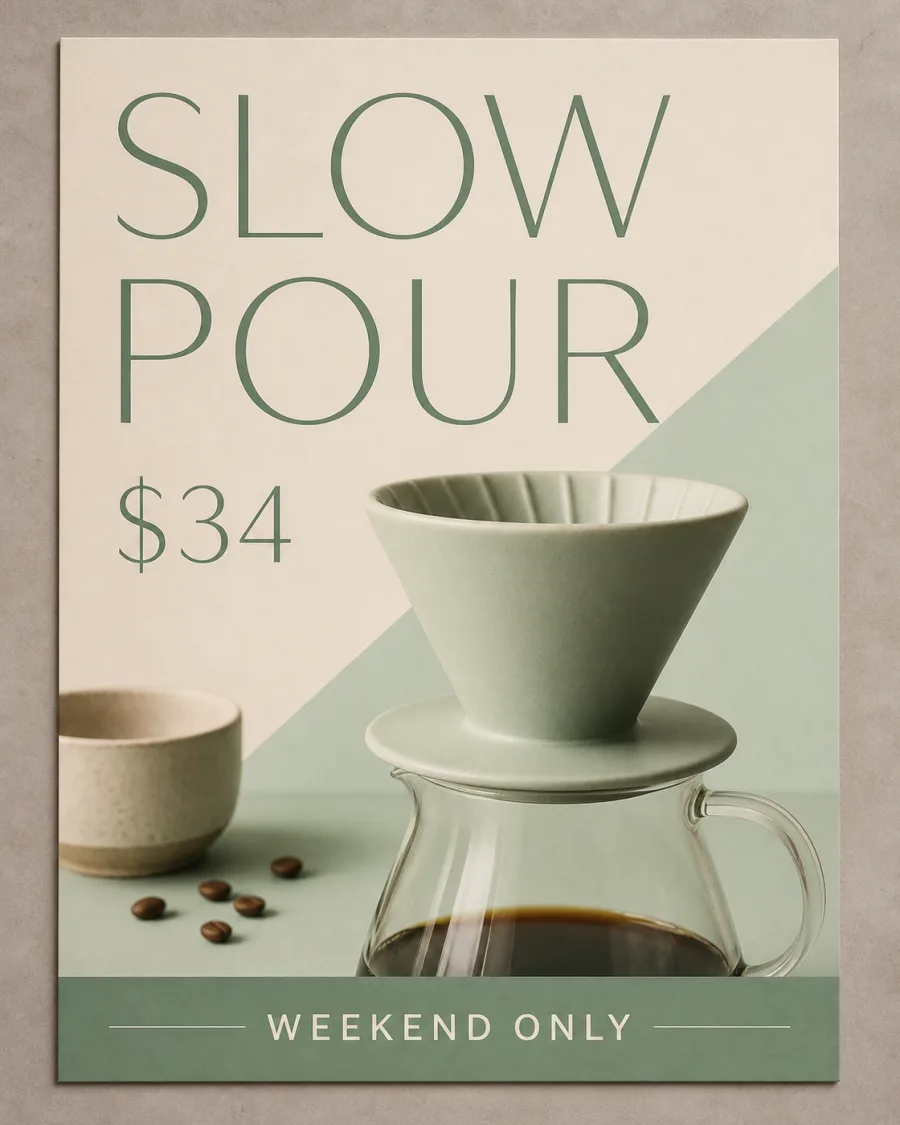
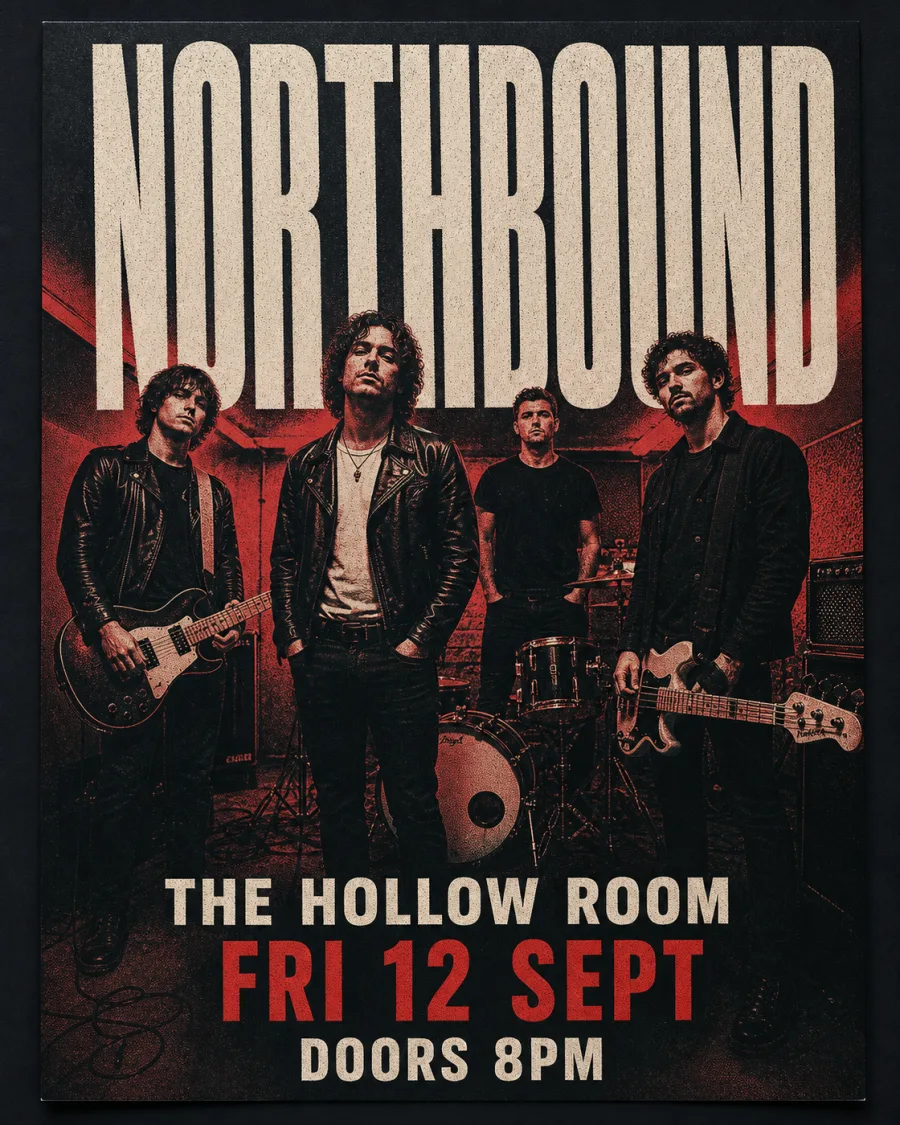
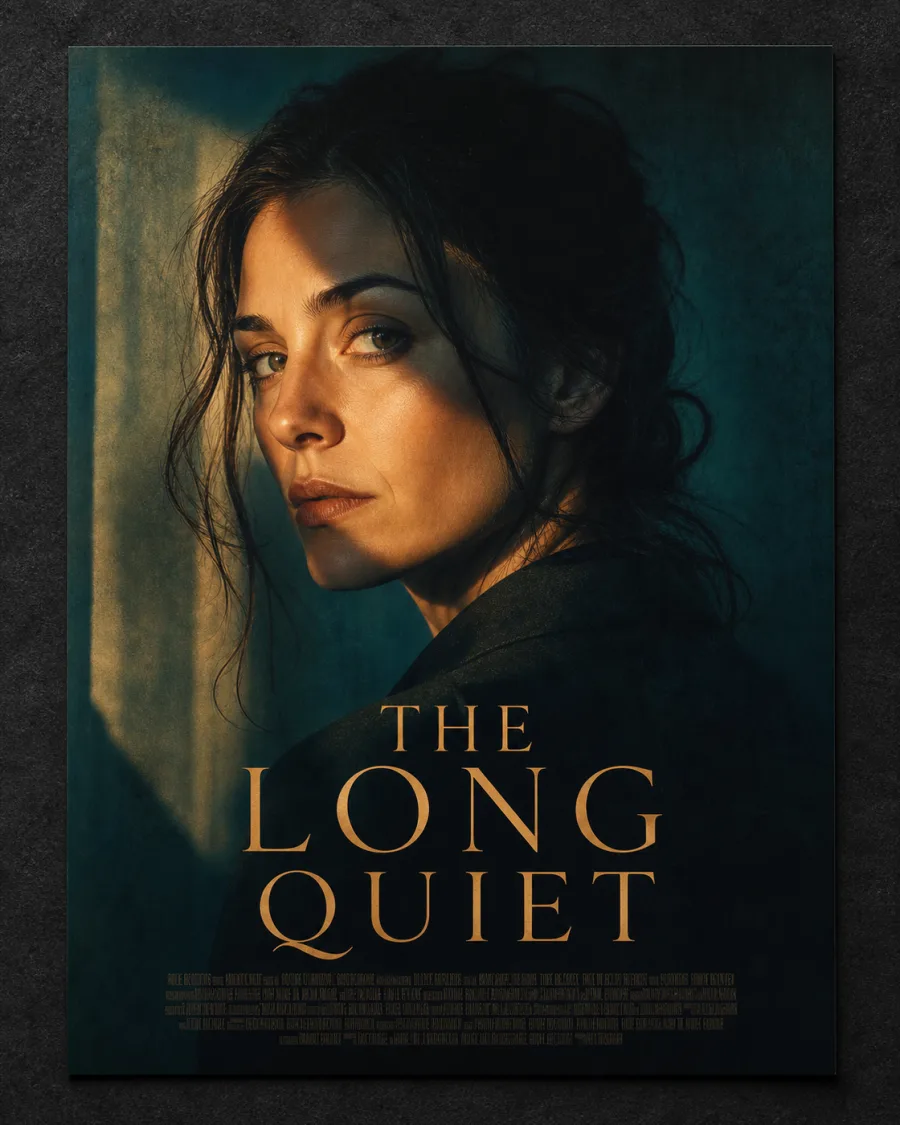
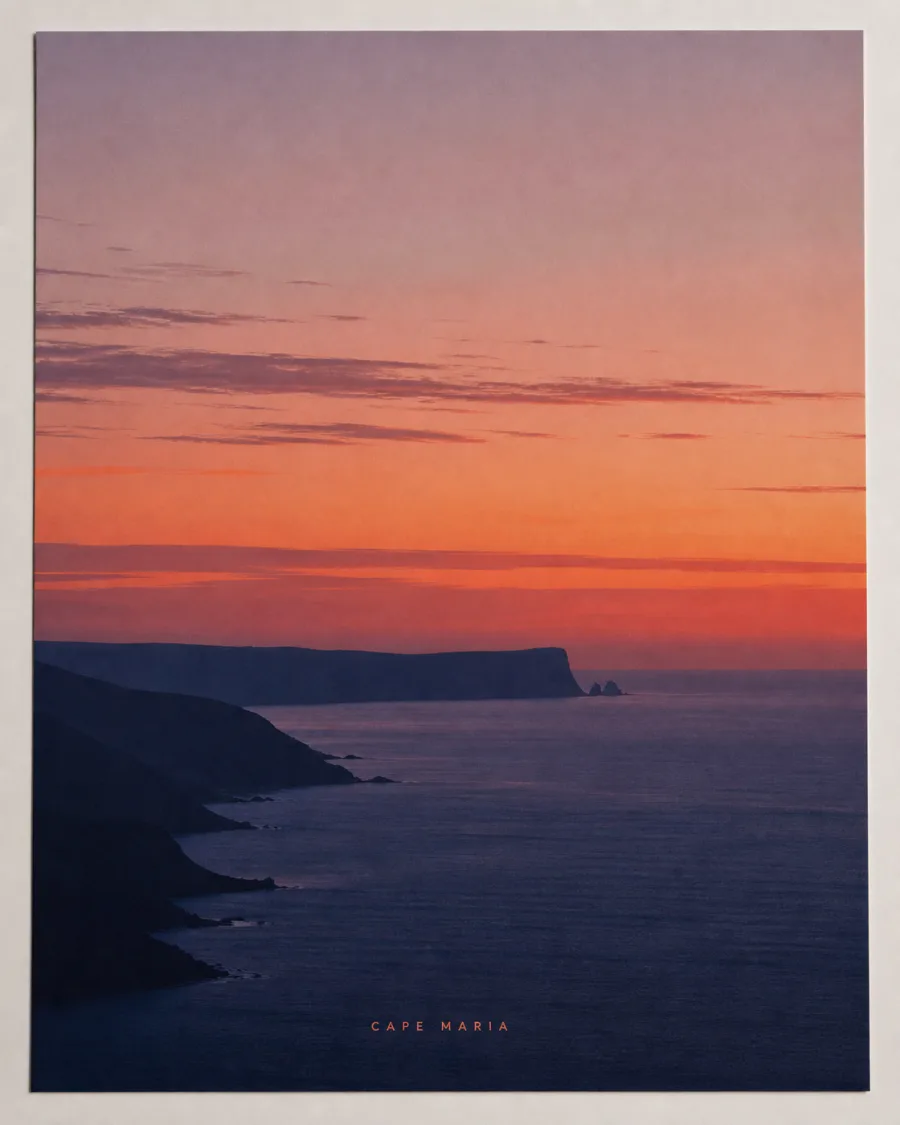
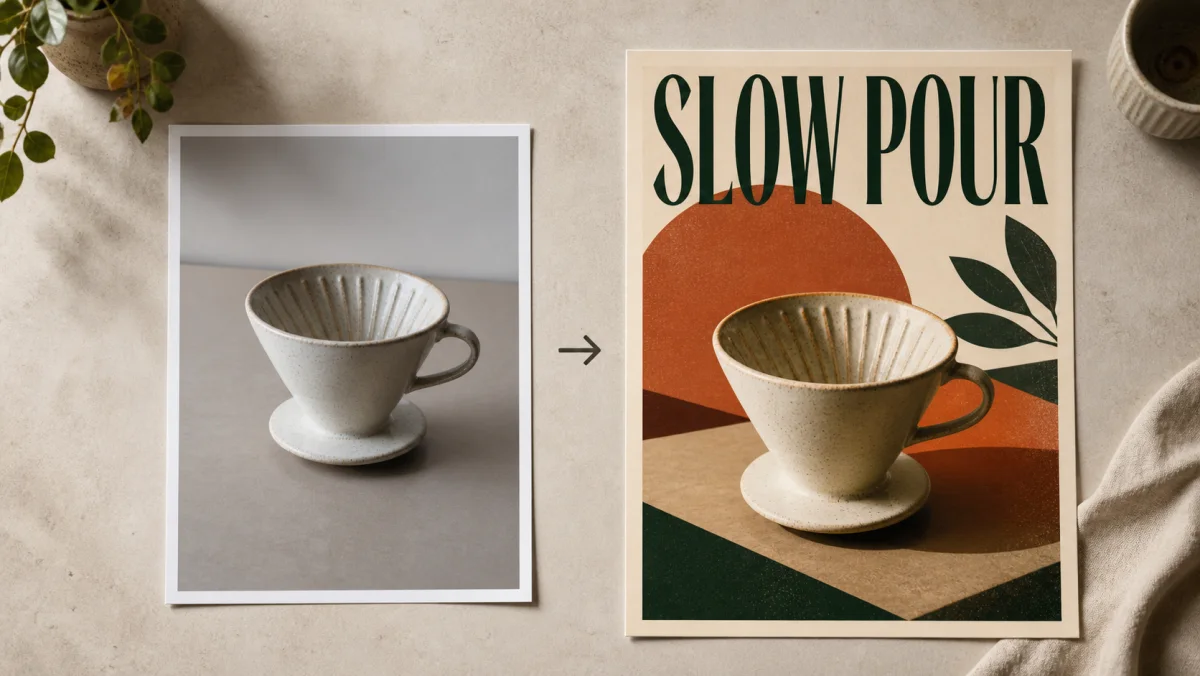
Every poster below began as an ordinary photograph. The generator kept the subject and rebuilt everything around it — background, light, headline.
The Models Behind the Converter
Five engines accept an upload — four are pictured, since Nano Banana Pro stands in for its lighter sibling. Switching model beats rewriting the prompt.
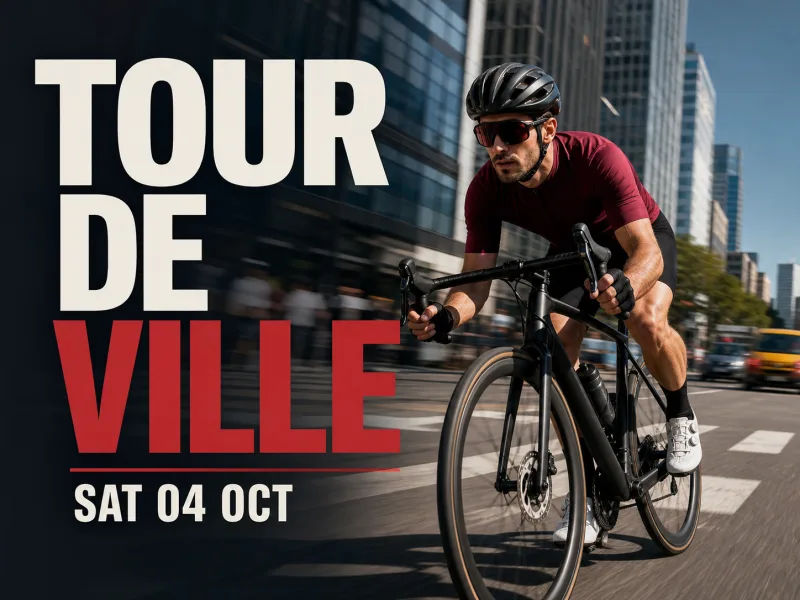
GPT Image 2
Starts every conversion by default. Best when the poster needs a written headline and a clean, well-lit subject.
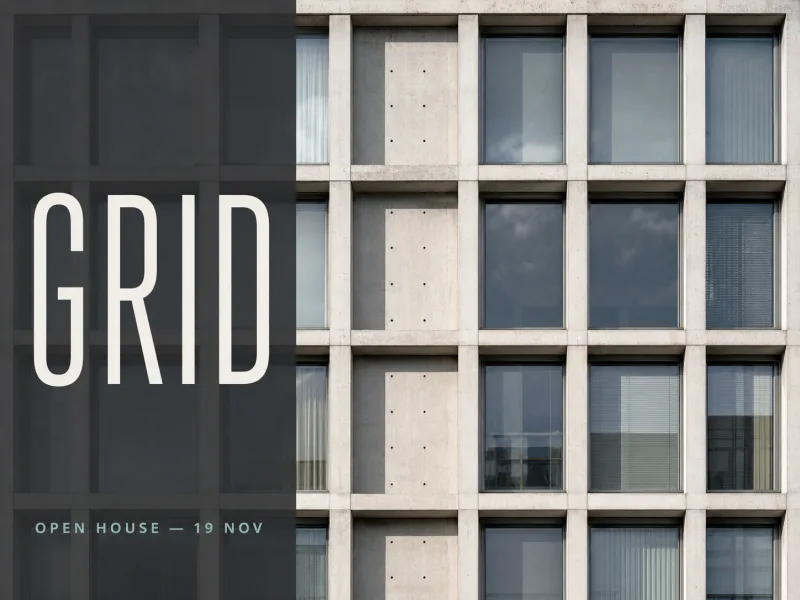
Nano Banana Pro
Renders at 1K, 2K or 4K. Pick it when the finished poster is heading to a printer, not just a phone screen.
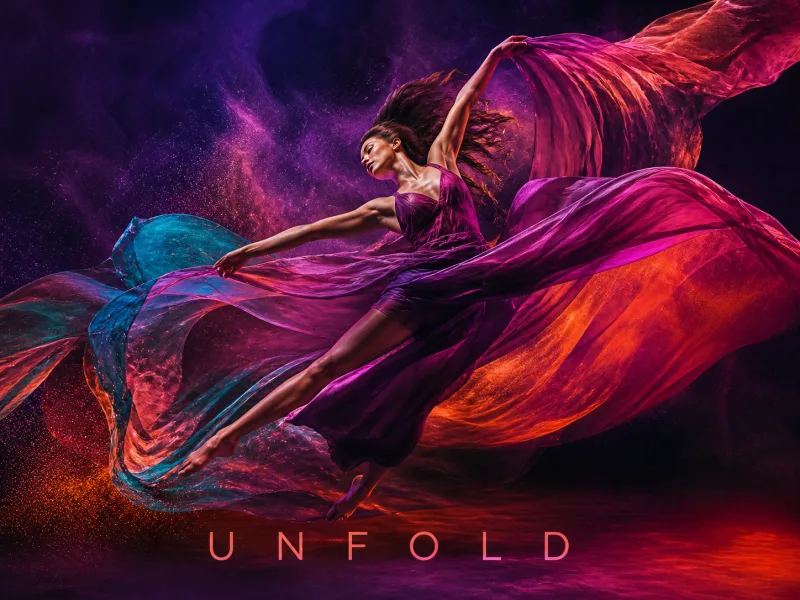
Seedream 5
Rebuilds the whole scene at up to 4K. Best when layout matters more than exact likeness.
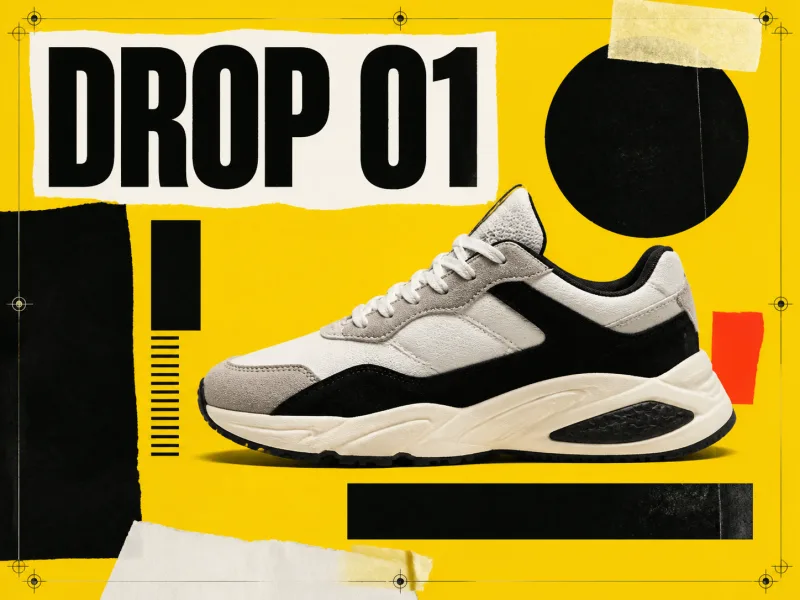
Z-Image Turbo
Turns a photo to poster draft around fastest. Test a composition, then re-run the keeper on a heavier engine.
The picker shows what each run costs before you spend one.
What Is an Image to Poster Generator?
An image to poster generator rebuilds a photograph you already own into a designed poster, instead of from a blank prompt. You upload the picture, describe the poster you want around it, and the model re-renders the scene — new background, new light, new typography — while keeping your subject recognisable. That is the gap between this and a photo filter: the filter recolours pixels you handed it, while this tool rebuilds the frame around them.
What This Image to Poster Converter Actually Does
Five engines, one upload slot, one prompt box. Everything below is behaviour available in the tool today.
Keeps the Subject, Replaces Everything Else
Your upload is a reference, not a background layer. Ask for a different era or setting and the subject carries through into the new scene instead of being pasted onto it — which is what separates this workflow from a collage tool.
Writes Your Headline Into the Design
Put the exact wording in quotes — a title, a date, a price — and the model lays it into the artwork. Accuracy varies by engine, so when a line comes out wrong, switch model before rewriting.
Ten Poster Shapes and Up to 4K
Choose the proportions before you generate, from 21:9 down to 9:16. Nano Banana Pro and Seedream 5 reach 4K, which gives each result enough pixels for A3 and larger.
Print Export With an Honest DPI Readout
Send any result to A5–A0, US Letter, Tabloid or 24 × 36 in as PDF, PNG or JPG, with optional 3 mm bleed. The dialog shows the resolution the file really lands at — nothing upscaled to fake 300 DPI.
How to Turn an Image Into a Poster
Three decisions take a photo from upload to a print-sized poster; each render takes about 30 to 180 seconds.
- 01
Start With the Right Photo
Drag in or paste a JPG, PNG or WebP up to 5 MB. A sharp, well-lit subject converts better than a busy snapshot, so crop first.
- 02
Direct the Transformation
Say what stays and what changes, quote the headline, then choose the poster shape and model — lighter while exploring, heavier for the keeper.
- 03
Generate, Compare, Export
Run one to six variations and keep the strongest. Print export gives the final download its physical dimensions, so a print shop opens a file that knows its size.
Want the full walkthrough, with prompt examples? How to Turn a Photo Into a Poster With AI
Who Uses an Image to Poster Maker
The pattern never changes: every run starts from a photograph you already own.
Product and Promo Posters
Shops and makers
Make a poster from a photo of the product: a real backdrop, a price and an offer line instead of your kitchen table.
Gig and Event Posters
Bands, venues, organisers
Feed in a band portrait and the generator sets date, line-up and door time into the artwork.
Portrait and Film-Style Posters
Creators and film students
Re-light a headshot into a cinematic one-sheet, with a title treatment and a credit block along the bottom.
Property and Travel Posters
Agents and hosts
Restyle a listing photo to poster form, with a headline that still reads from across a room.
Class and Campus Posters
Students and teachers
Convert a field-trip photo to poster form for a noticeboard, then print it at A3.
Personal Wall Art
Anyone with a good photo
Turn a picture into a poster online, sized to the frame already on your wall.
Shapes, Files and Print Sizes
These are the input, output and print limits the tool genuinely runs on.
| Detail | What You Get |
|---|---|
| Upload | JPG, PNG or WebP, up to 5 MB each, dragged, pasted or picked |
| Models accepting an upload | GPT Image 2, Nano Banana, Nano Banana Pro, Seedream 5, Z-Image Turbo |
| Poster shapes | 21:9, 16:9, 3:2, 4:3, 5:4, 1:1, 4:5, 3:4, 2:3, 9:16, or auto |
| Maximum resolution | Up to 4K, on Nano Banana Pro and Seedream 5 |
| Results per run | One to six |
| Download formats | JPEG, PNG or WebP |
| Print export | PDF, PNG or JPG at A5–A0, US Letter, US Legal, Tabloid, 12 × 18, 18 × 24 or 24 × 36 in |
| Bleed | Optional 3 mm on every edge |
| Render time | About 30 to 180 seconds |
No CMYK conversion, and no text editor on the poster itself. To fix a headline without re-running the generation, use the canvas edit-text tool.
Is This Image to Poster Converter Free?
Honest answer: every photo upload needs an account, and each run spends credits.
An Account Is Required to Upload
The one-shot trial that runs without signing in is prompt-only, so it cannot take your photo. Every upload starts by signing in; your draft is held while you do.
New Accounts Start With Free Credits
Signing up adds 25 credits, valid 30 days — enough to try the tool with several photos before you decide to pay.
The Price Shows Before You Spend
The generate button carries the credit cost of the run you configured, so a 4K poster never surprises you. Print export is free.
Common Questions
Can I Turn Any Image Into a Poster?
Is There an Image to Poster Converter Online That Is Free?
Will My Face Stay Exactly the Same?
How Is This Different From a Photo Filter?
Can I Print What the Image to Poster Maker Produces?
Which Model Should I Start With?
Can I Edit the Text After the Poster Is Generated?
How Long Does a Generation Take?
Is There a Website That Makes Pictures Into Printable Posters?
Turn Your Photo Into a Poster
Upload the picture, generate the poster, and export at the size you are printing.